What Are Digital Lotería Boards?
Digital Lotería boards are boards you create and save directly on your phone — no need to buy or carry physical boards. With the Mexican Lotería deck app, you can build your own boards by picking your favorite figures or generate them randomly with a single tap.
Perfect for playing anytime: family gatherings, parties, road trips, or whenever you want a quick game without any setup.
Steps to Create Your Digital Board
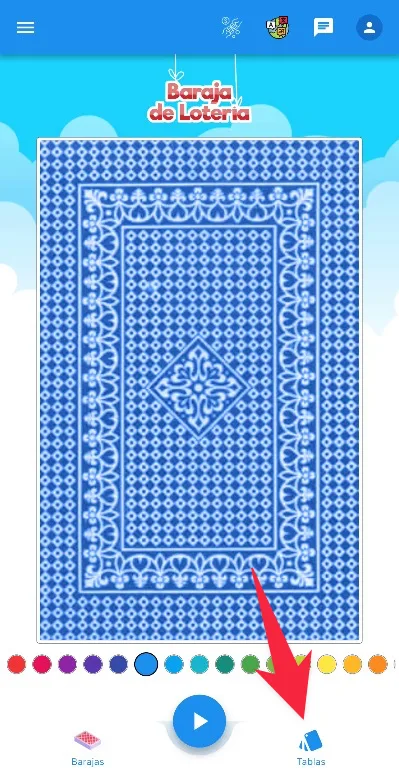
Step 1: Tap “Tablas” (Boards)
On the app’s main screen, tap the “Tablas” (Boards) icon on the bottom-right navigation bar.
Step 2: Select “Baraja de Lotería”
On the Tablas Digitales (Digital Boards) screen, select “Baraja de Lotería” to create a board with the classic 54 cards.

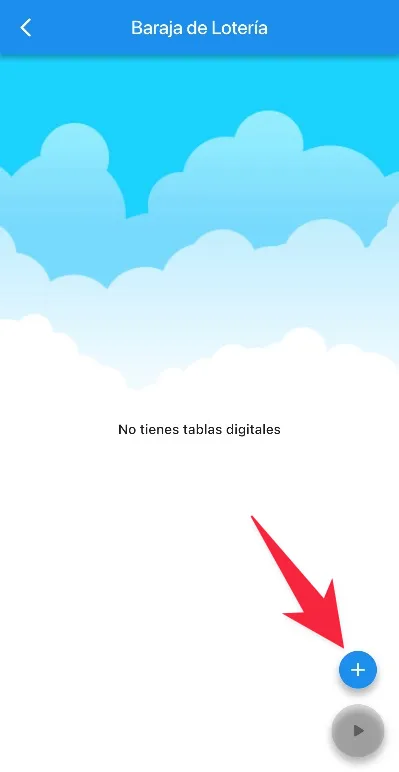
Step 3: Tap the ”+” button
If this is your first time, you’ll see the message “No tienes tablas digitales” (No digital boards yet). Tap the ”+” button in the bottom-right corner to create a new board.
Step 4: Pick figures or generate randomly
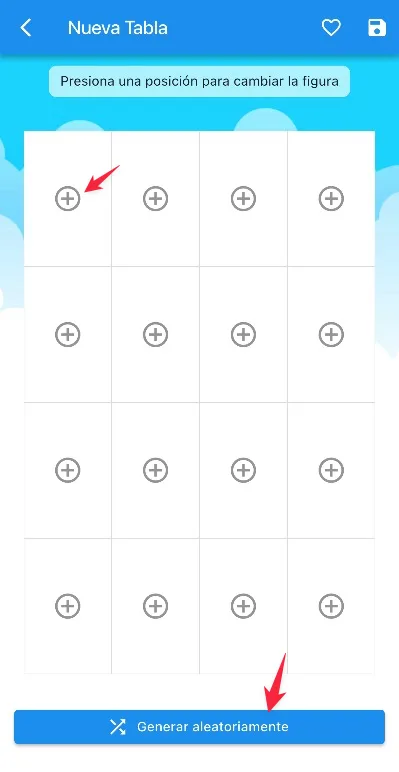
The board editor appears with an empty 4×4 grid. You have two options:
- Pick manually — tap each slot to choose the figure you want in that position
- Generate randomly — tap the “Generar aleatoriamente” (Generate randomly) button at the bottom to fill the entire board with random figures
Step 5: Save your board
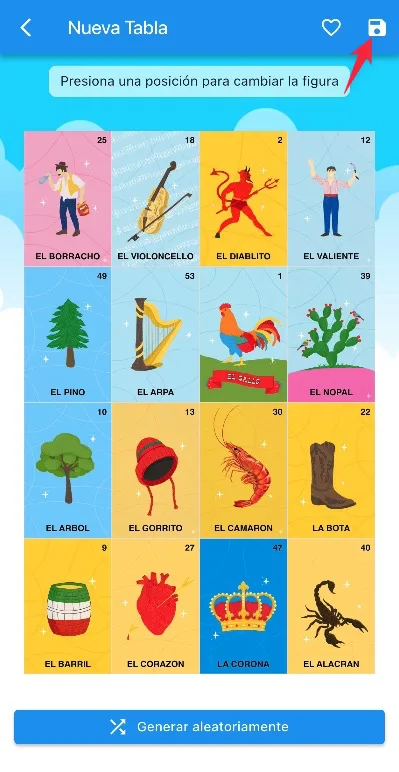
Once your board has all 16 figures, tap the save icon (💾) in the top-right corner. Your board is saved and ready to play.
Advantages of Digital Boards
- No materials needed — no beans, tokens, or cardboard boards required
- Always available — your boards are saved in the app, ready whenever you want to play
- Customizable — choose exactly which figures go on your board
- Unlimited — create as many boards as you need, at no extra cost
How to Play with Your Digital Boards
Once you have your boards saved, just tap the play button and pick the boards you want to play with. As cards come up, you mark them on your board yourself — just like with physical boards. You can also switch the game mode — the app has a victory detector for several modes: normal, pot, 4 corners, full board, edges, X pattern, jaras, and more.
Call the Cards and Play at the Same Time
Want to be the caller and play at the same time? The app lets you do both from the same phone. Tap the play button, pick your boards, and toggle on “Be host (caller)”. This automatically enables the “Auto-mark” switch, which marks your boards for you while you call the cards — though you can turn it off if you prefer marking manually.
Boards for Other Decks
The same process works with any deck in the app: Animals, Baby Shower, Body Parts, or any custom deck you’ve created.
If you prefer printed boards for large groups, check our guide on how to print Lotería boards.
Don’t have the app yet? Download it for free and create your digital boards in seconds.
Download for free
Available for iOS and Android