Create Your Own Lotería Deck
With the app, you can create a custom Lotería deck using your own images: family photos, drawings, party characters, classroom materials, or any theme you want to turn into a game.
The screenshots below are in Spanish, but the flow is the same: create a new deck, add images, then choose whether to play muted, record voice for each card, or generate digital and PDF boards with that deck.
Steps to Create Your Custom Deck
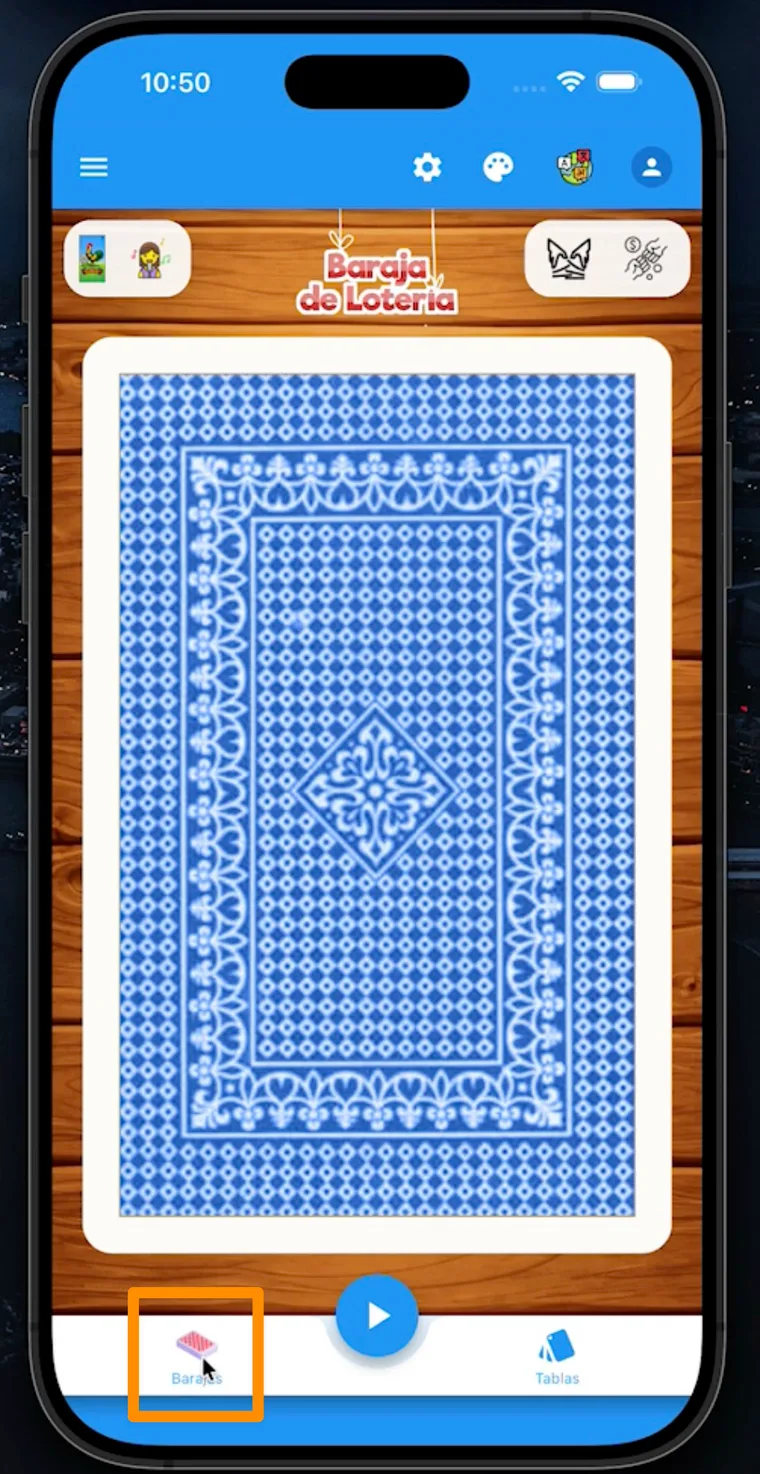
Step 1: Open the Decks section
On the app’s main screen, tap the “Barajas” (Decks) icon in the bottom navigation bar.
Step 2: Create a new deck
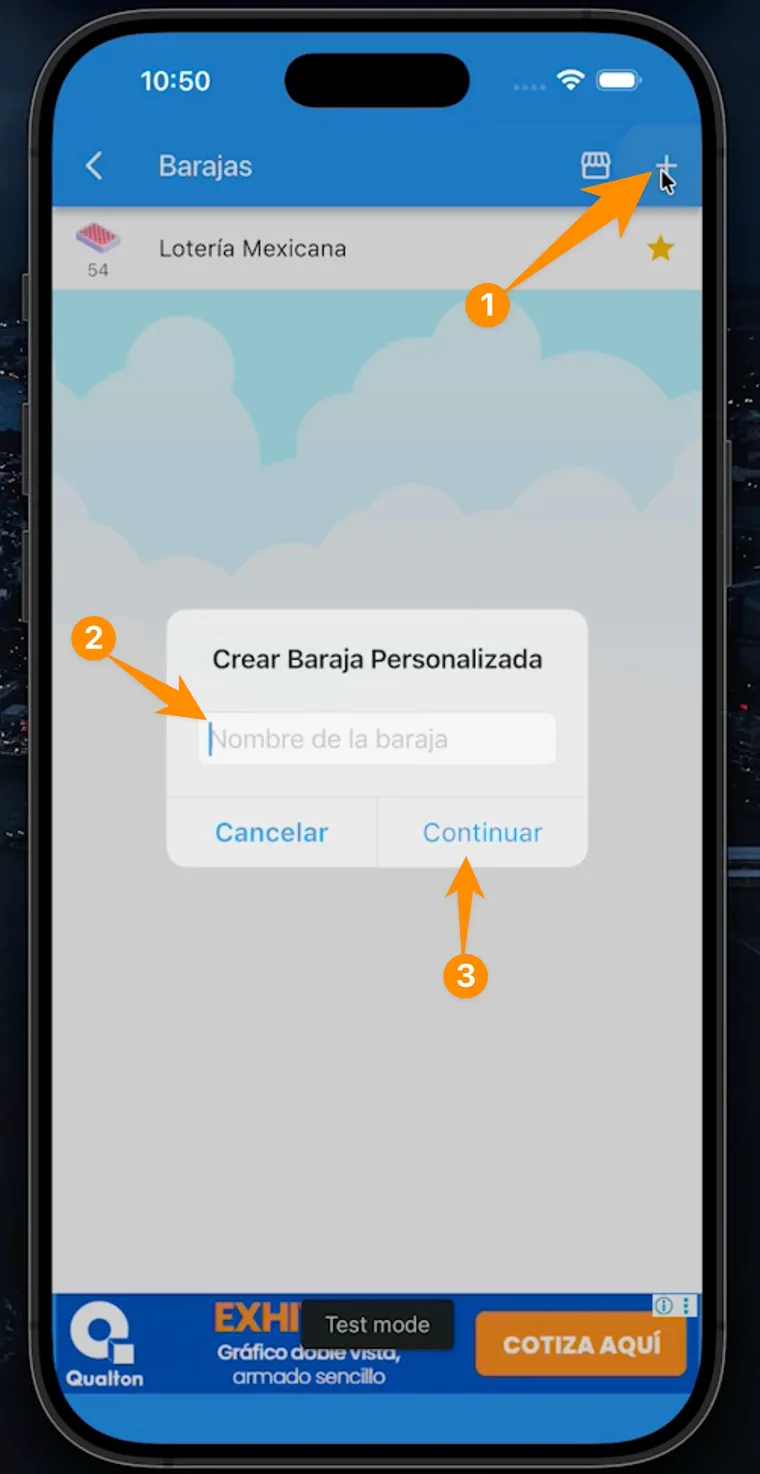
Tap the ”+” button, enter the name of your new custom deck, and tap “Continuar” (Continue).
Step 3: Tap “Agregar imagen”
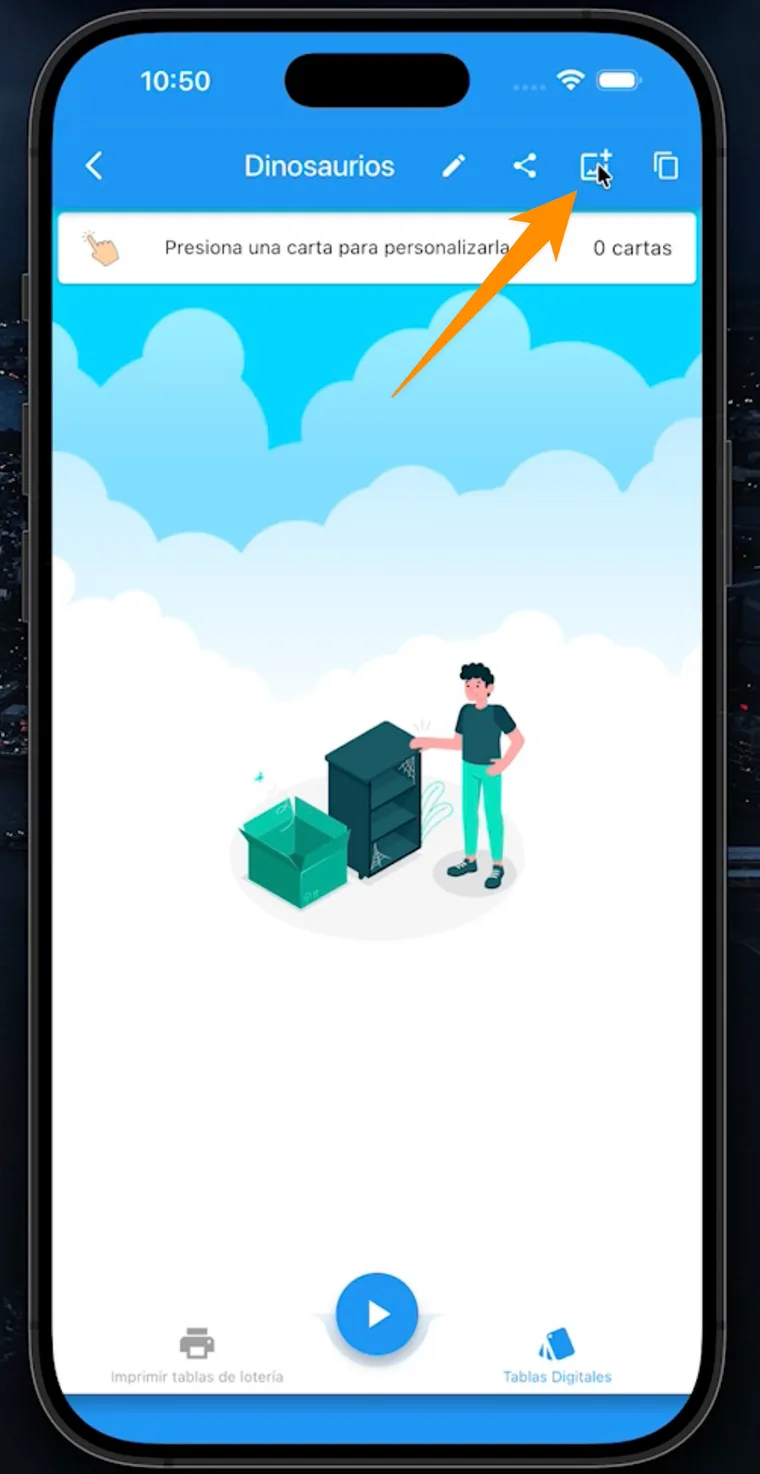
Inside the new deck, tap the “Agregar imagen” (Add image) icon to start adding cards.
Step 4: Select the images for your deck
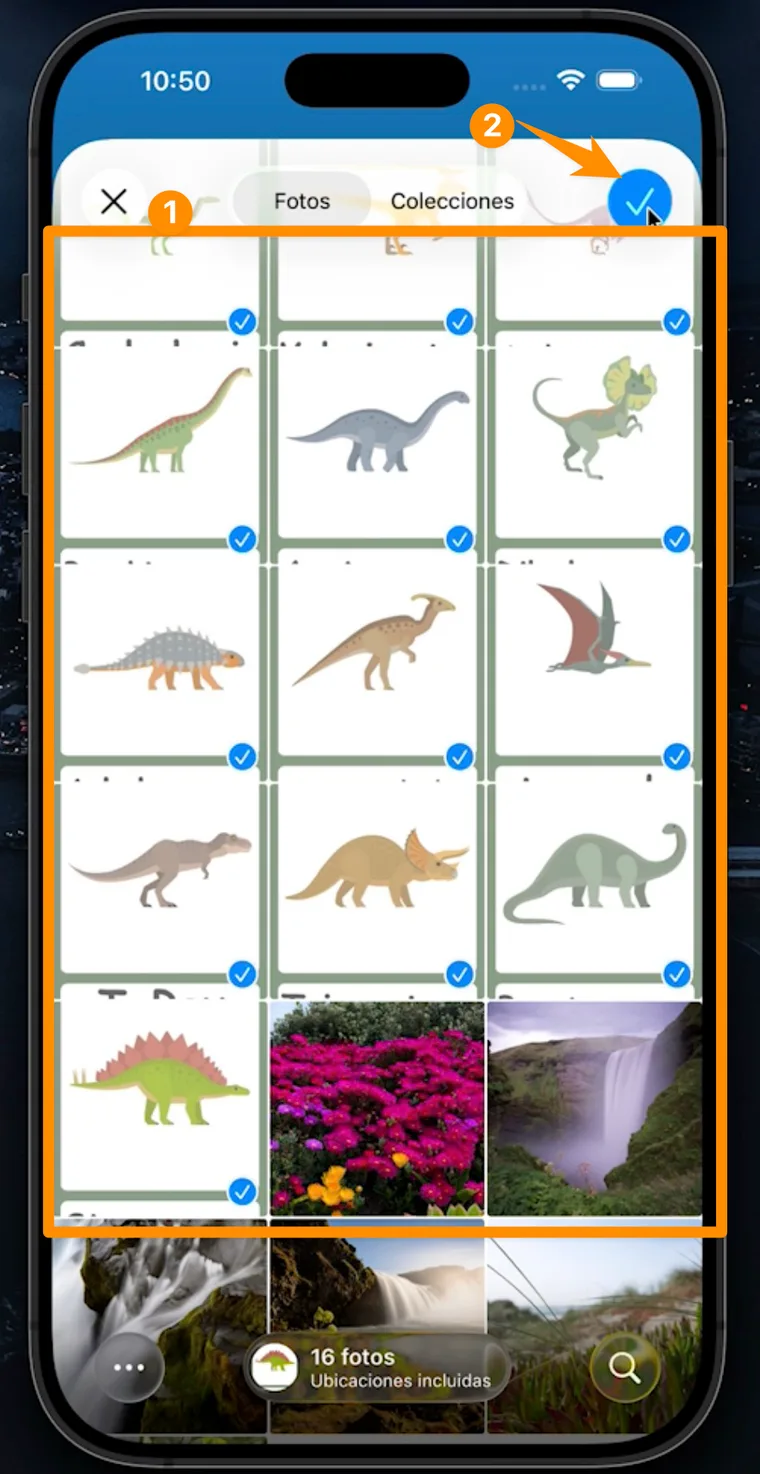
Choose the images that will become your custom deck. When you’re done, tap the checkmark to confirm.
Step 5: Use your custom deck
Your deck is ready. From here, you can edit each card to add voice, play muted, start the deck with the play button, create digital boards, or generate PDF boards with your custom images.
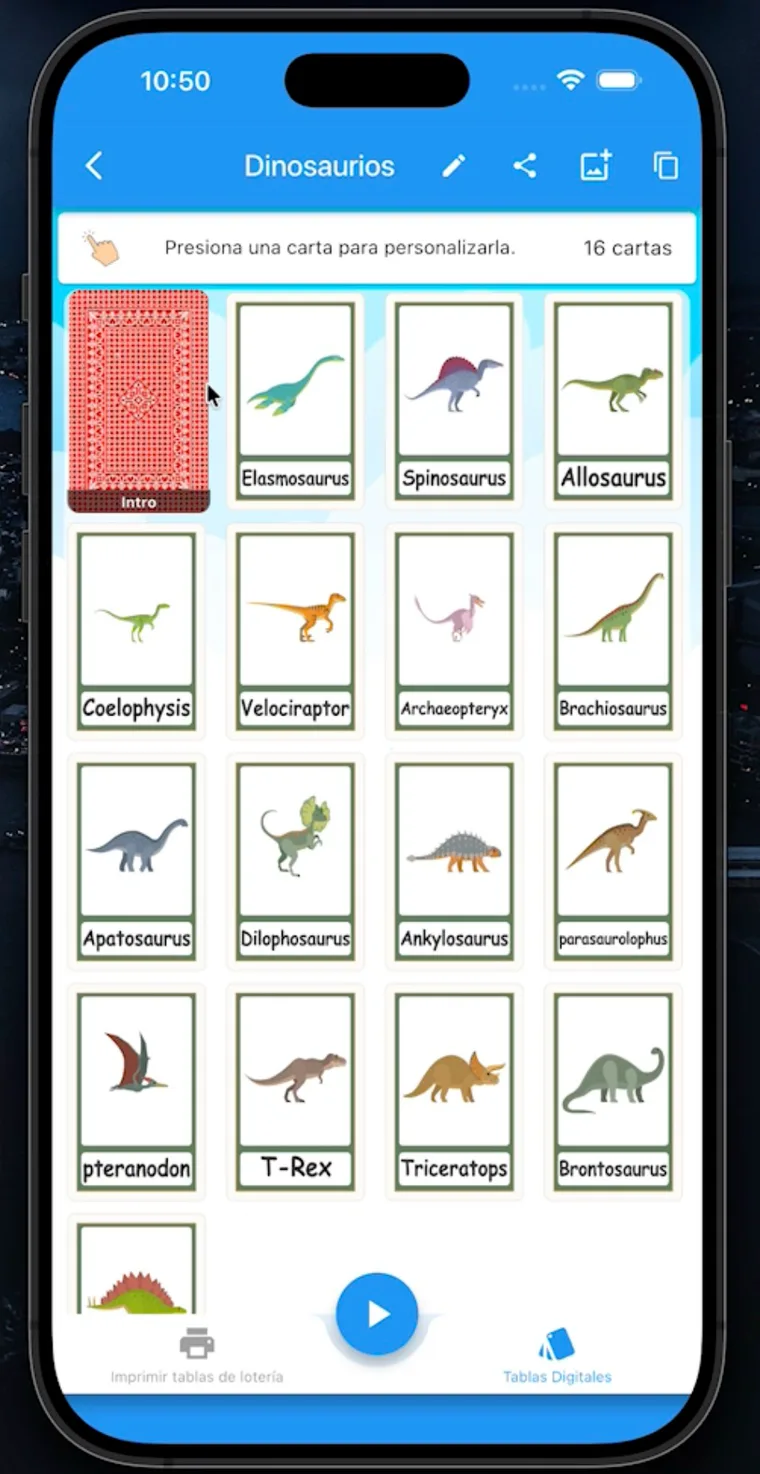
Ideas for Custom Decks
- Guest photos for a party or family gathering
- Product images for business activities or training
- Vocabulary for classes, therapy, or educational activities
- Special themes for birthdays, weddings, baby showers, or posadas
Play, Print, or Share
Once your deck is created, you can use it like any other deck in the app. To play live, press play. If players need boards, create digital boards or generate printable Lotería boards as PDF.
Don’t have the app yet? Download it for free and create your first custom deck in minutes.
Download for free
Available for iOS and Android